Shopping for a laptop built around creative work — video editing, photo retouching, illustration, music production, 3D rendering — is a fundamentally different exercise than buying a general-purpose machine. The spec sheet looks similar on the surface, but the things that actually matter shift considerably. Use this checklist before you commit.
**1. Nail down your primary workload first.**
Creative work is not one category. A motion graphics artist and a bedroom music producer have almost nothing in common in terms of hardware needs. Before you look at a single spec, write down the two or three tasks you will do most. Video editing at high resolutions is GPU- and RAM-heavy. Audio production is surprisingly CPU- and storage-latency-sensitive. Illustration can run well on modest hardware if the display is right. Know your workload, then shop.
**2. Treat the display as a non-negotiable.**
For any color-critical task — photography, video grading, digital art — you need a panel that covers a wide color gamut, ideally DCI-P3. A high-resolution screen matters too, but color accuracy matters more. Look for panels marketed toward content creators and, where possible, check whether independent reviewers have measured the actual gamut coverage, not just what the manufacturer claims.
**3. RAM: more is almost always correct here.**
General users can get away with 16 GB. Creative applications rarely agree. Video editors running multiple streams, 3D artists with complex scenes, and musicians stacking dozens of virtual instruments will feel the ceiling of 16 GB quickly. For serious creative work, 32 GB is a sensible baseline. If the RAM is soldered and non-upgradeable — which is increasingly common — buy more than you think you need today.
**4. Storage speed and capacity both count.**
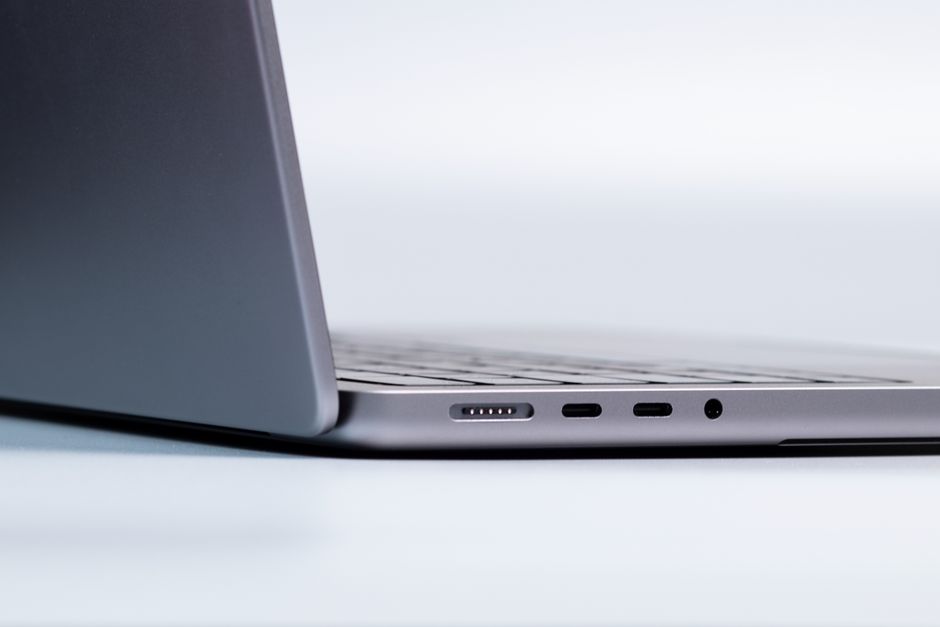
Large project files, RAW photos, and video footage consume storage fast. A fast NVMe SSD matters for snappy project loads and cache performance. Plan for at least 1 TB internally, and factor in whether the machine has ports that support fast external drives. A single Thunderbolt or USB4 port can make an enormous difference when you are working from an external drive.
**5. Check the GPU story carefully.**
Some creative applications accelerate specific tasks — timeline rendering, export, AI-assisted features — using the GPU. Others rely almost entirely on the CPU. Look up the GPU acceleration support for the specific applications you use before assuming a dedicated GPU will help you. In some workflows it is transformative; in others it barely moves the needle.
**6. Thermals and sustained performance matter more than peak specs.**
A laptop that runs fast for 90 seconds before throttling is a liability for long export jobs or overnight renders. Look for reviews that test sustained workloads, not just burst benchmarks. Thin-and-light machines are tempting, but the best creative laptops tend to have enough chassis volume to manage heat across long sessions.
**7. Battery life is probably a secondary concern — but plan for it.**
Heavy creative work will drain any battery quickly. If portability genuinely matters to your workflow, factor in the size and weight of the power adapter as well as the machine itself. Some workstation-class laptops ship with adapters that are almost luggage on their own.
Taking the time to match a laptop to your specific creative discipline — rather than chasing the highest overall specs — is the move that saves money and frustration. The ShazGear team covers peripherals and gear for creative setups regularly on the ShazNation blog if you want to think beyond the laptop itself.
Laptops & PCs
How to Choose a Laptop for Creative Work: A Practical Checklist Before You Spend
October 23, 2026
Related in Laptops & PCs
Oct 22, 2026
5 Myths About Laptop RAM That Are Quietly Costing You Money
RAM is one of the most misunderstood components in any laptop. It sits in that awkward space between…
Read More →
Oct 20, 2026
The Rise of the Fanless Laptop: Why Passive Cooling Is Becoming a Serious Option for Everyday Computing
For most of computing history, the idea of a laptop without a fan felt like a compromise. You were e…
Read More →
Oct 19, 2026
Integrated Graphics vs. Dedicated GPU vs. Hybrid Switching: Which Setup Actually Makes Sense for Your Laptop?
If you have spent any time shopping for a laptop, you have almost certainly run into the GPU questio…
Read More →