RAM is one of the most misunderstood components in any laptop. It sits in that awkward space between the CPU and storage, doing critical but invisible work — and because it's invisible, myths about it spread fast. Whether you're speccing a new machine or wondering whether to upgrade your current one, these are the misconceptions you need to leave behind.
Myth 1: More RAM always means a faster laptop.
RAM doesn't make your laptop faster in the way a better CPU or a faster SSD does. What it does is prevent slowdowns caused by your system running out of working space. If you're already using 8 GB on a 16 GB machine, adding more RAM won't speed up anything — you'll simply have more headroom before problems start. The performance ceiling is set by your processor and storage, not your memory capacity.
Myth 2: You should always max out your RAM at purchase.
This one costs people real money. Most everyday users — browsing, streaming, word processing, light creative work — will never meaningfully stress 16 GB of RAM in 2026. Paying a significant premium to jump to 32 GB or 64 GB at the point of sale often funds headroom you'll never use. Spend that budget on a better display or a faster SSD instead, unless your workload genuinely demands it. Video editors, 3D artists, and developers running virtual machines are the exceptions, not the rule.
Myth 3: RAM speed matters more than RAM capacity.
The difference between, say, LPDDR5 running at two speed grades apart is measurable in benchmarks and nearly invisible in real life. For the overwhelming majority of tasks, having enough RAM matters far more than squeezing every last megabyte of bandwidth out of it. Chasing the fastest memory spec while being under-provisioned on capacity is a poor trade.
Myth 4: If your laptop is soldered, you're stuck forever.
Soldered RAM — now standard across most thin-and-light designs — does mean you can't upgrade after purchase, which makes your buying decision more important. But it doesn't mean the machine is fundamentally inferior. Soldered memory sits physically closer to the CPU, which reduces latency and improves power efficiency. The limitation is real; the stigma is overstated. Buy the right amount upfront and you'll rarely feel the loss.
Myth 5: Dual-channel always doubles your performance.
Dual-channel memory does provide a meaningful bandwidth improvement — particularly for integrated graphics, which share system RAM as their framebuffer. But for CPU-bound tasks like compiling code or running productivity software, the real-world gains are modest. It's worth having if your laptop supports it, but it isn't a transformative upgrade on its own.
RAM matters, but it's rarely the bottleneck people assume it is. Understand what your workload actually demands, buy enough at the outset — especially on soldered systems — and spend the rest of your budget where it will genuinely move the needle. At ShazGear, that kind of informed buying is exactly what we want to help you get right.
Laptops & PCs
5 Myths About Laptop RAM That Are Quietly Costing You Money
October 22, 2026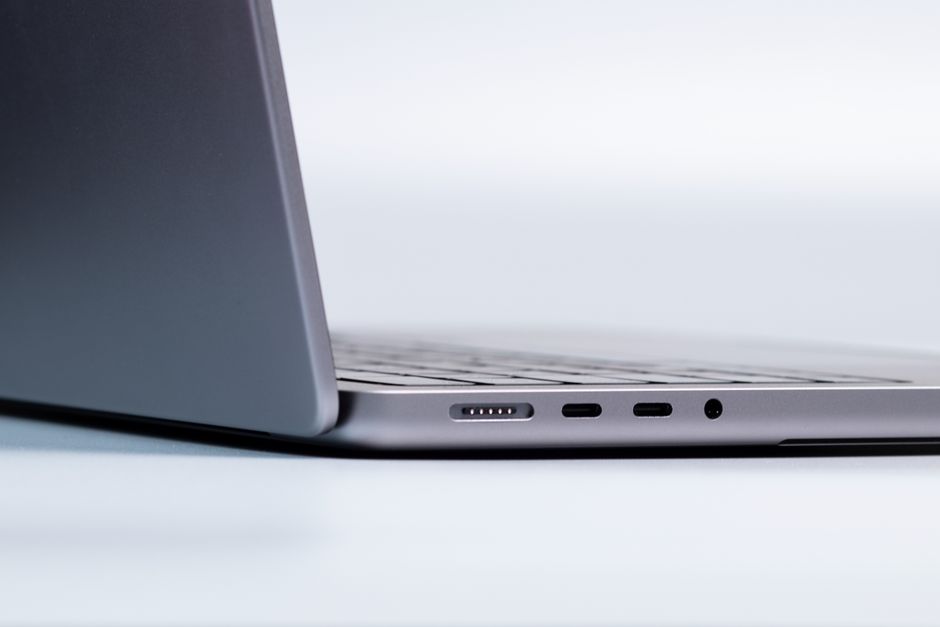
Related in Laptops & PCs

Oct 20, 2026
The Rise of the Fanless Laptop: Why Passive Cooling Is Becoming a Serious Option for Everyday Computing
For most of computing history, the idea of a laptop without a fan felt like a compromise. You were e…
Read More →
Oct 19, 2026
Integrated Graphics vs. Dedicated GPU vs. Hybrid Switching: Which Setup Actually Makes Sense for Your Laptop?
If you have spent any time shopping for a laptop, you have almost certainly run into the GPU questio…
Read More →
Oct 18, 2026
The Converging Worlds of Laptop Cooling: Why Vapor Chambers Are Replacing Heat Pipes as the New Standard
For years, heat pipes were the unsung heroes inside nearly every laptop ever made. Thin copper tubes…
Read More →